A Better Way toUse Your Dock.
Live window previews from the Dock, clipboard history, and a file shelf for drag-and-drop workflows. A native macOS productivity tool, built with Swift.
Native
Built with Swift
Local
On-device processing
macOS 14+
Sonoma & Later
3-in-1
Dock Utility
Deep Dive
Built different.
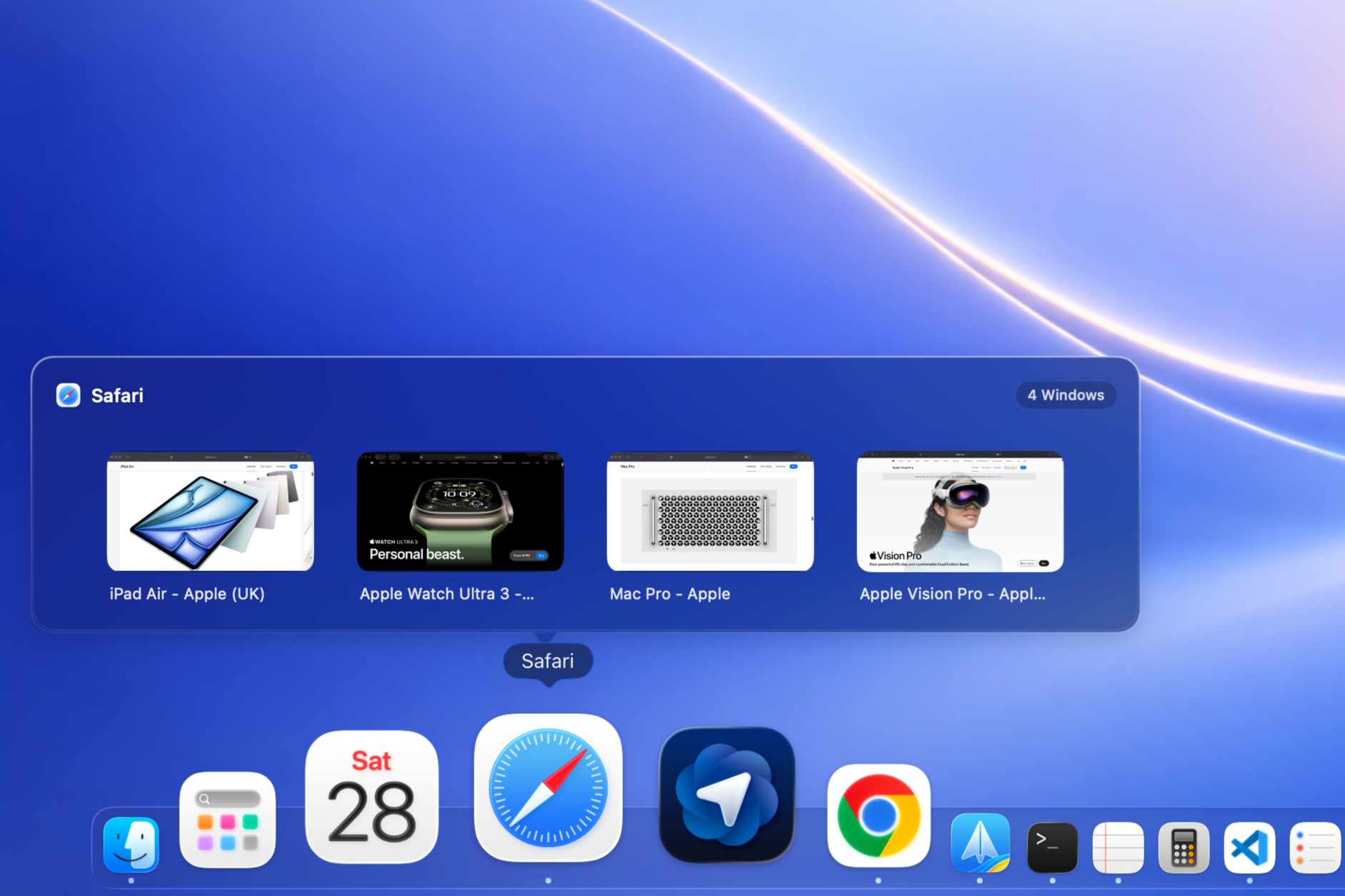
Smart Dock Preview.
Hover to reveal, see everything.
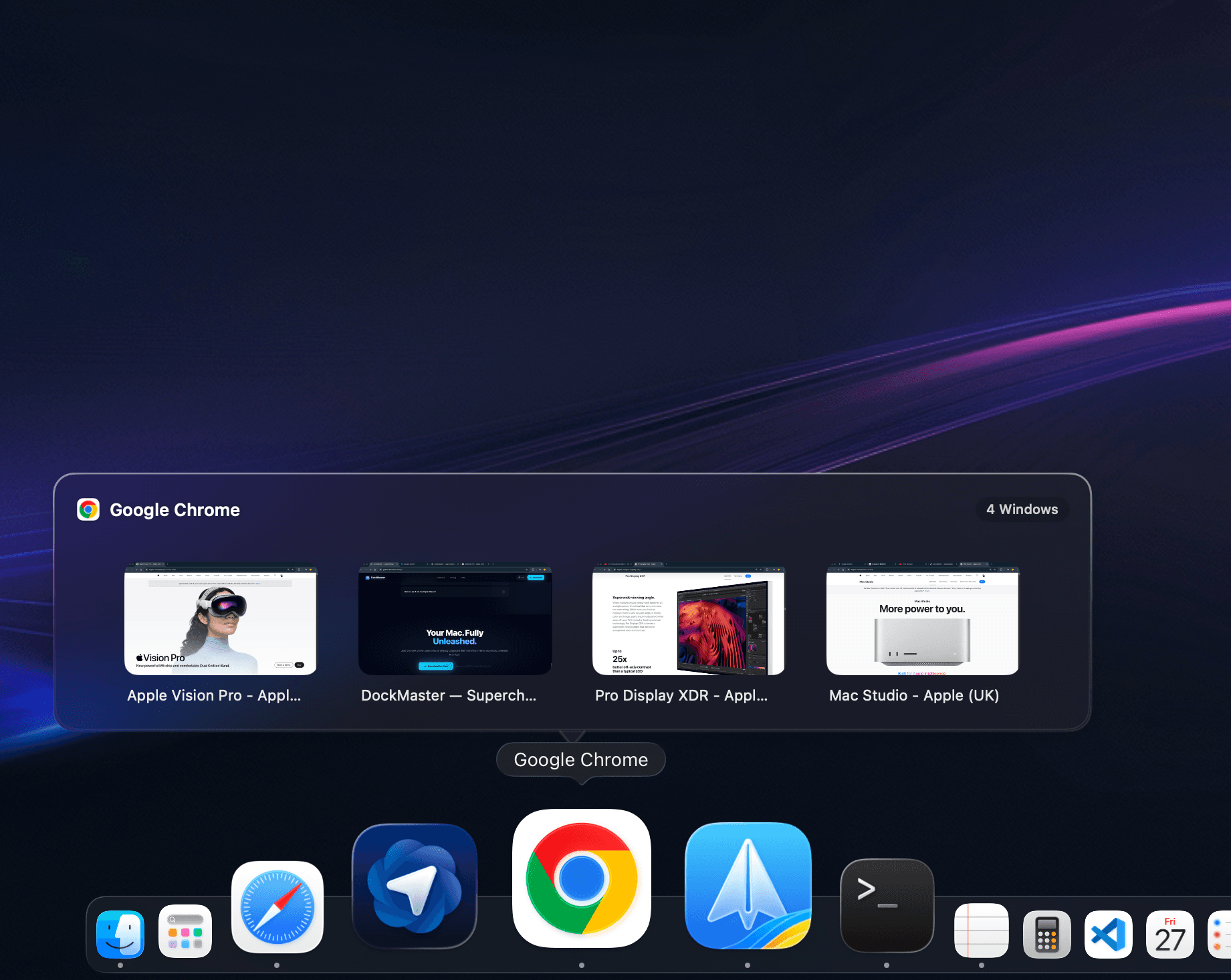
Hover over any Dock icon to see a native-feeling window preview. Manage, switch, or close specific windows across displays.
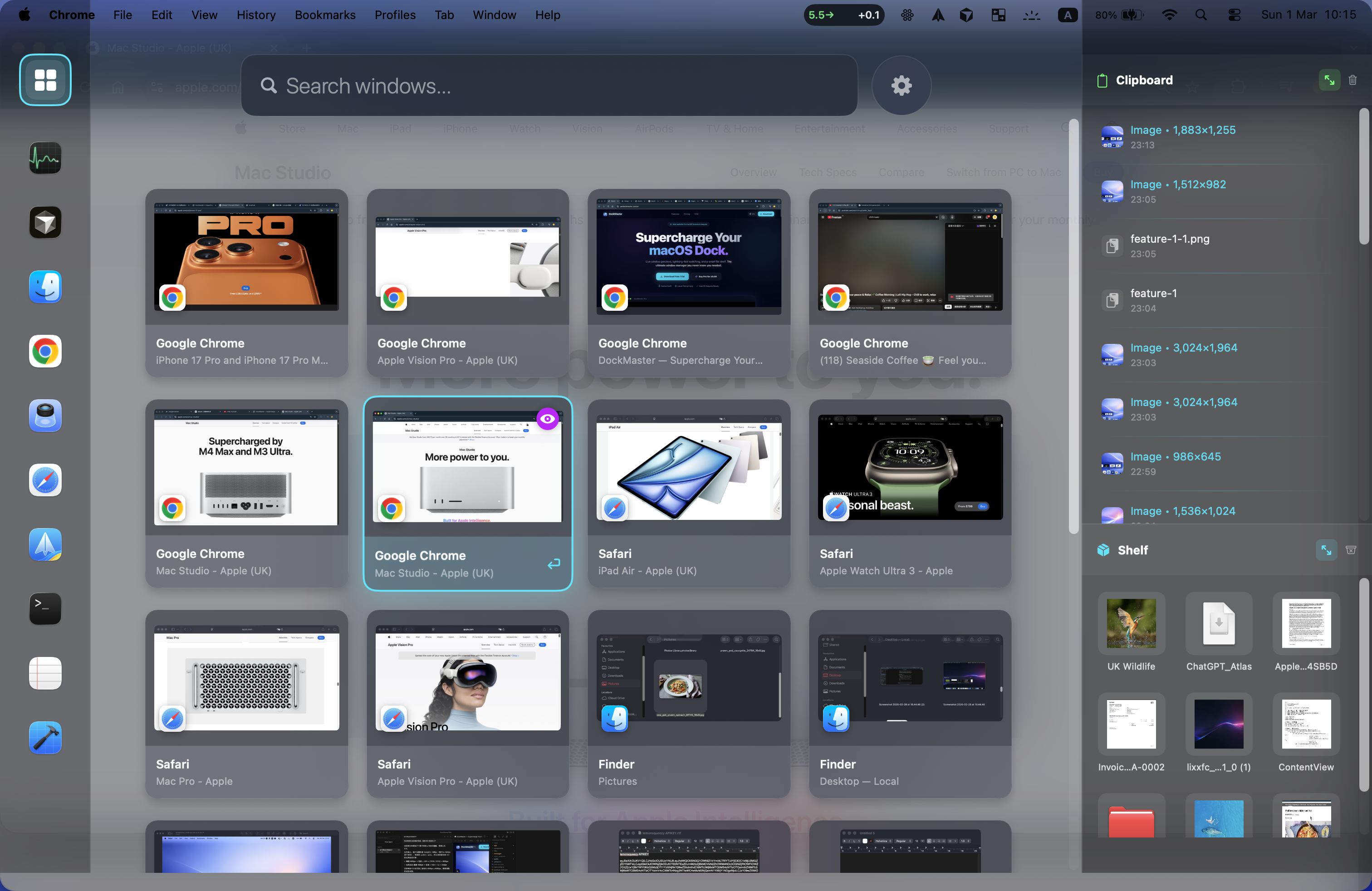
Global Switcher.
Option+Tab, reimagined.
A full-screen window grid with intelligent ghost-window filtering. Navigate with arrows, type to search. Feels like part of macOS.
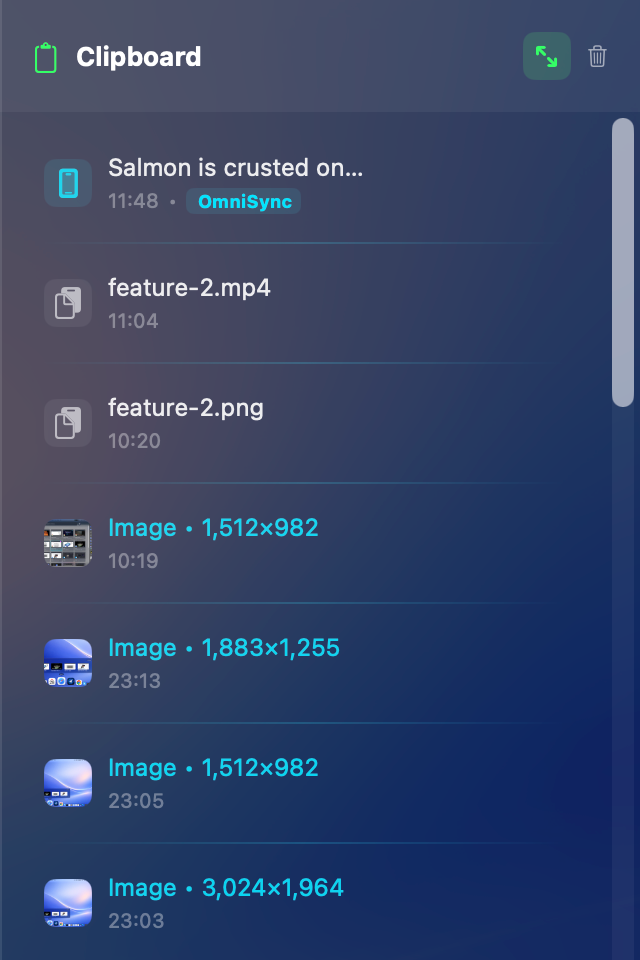
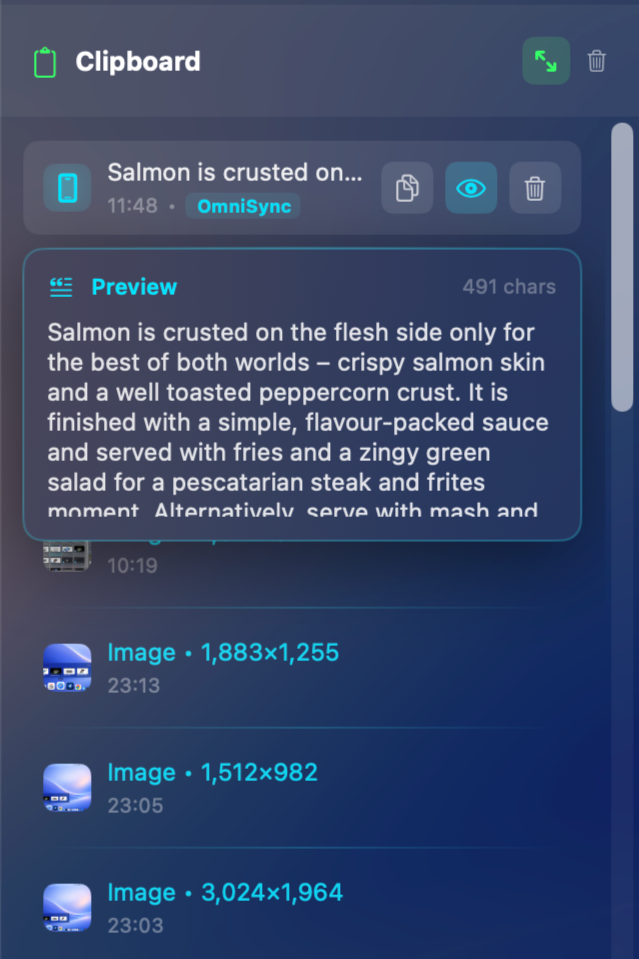
Clipboard History.
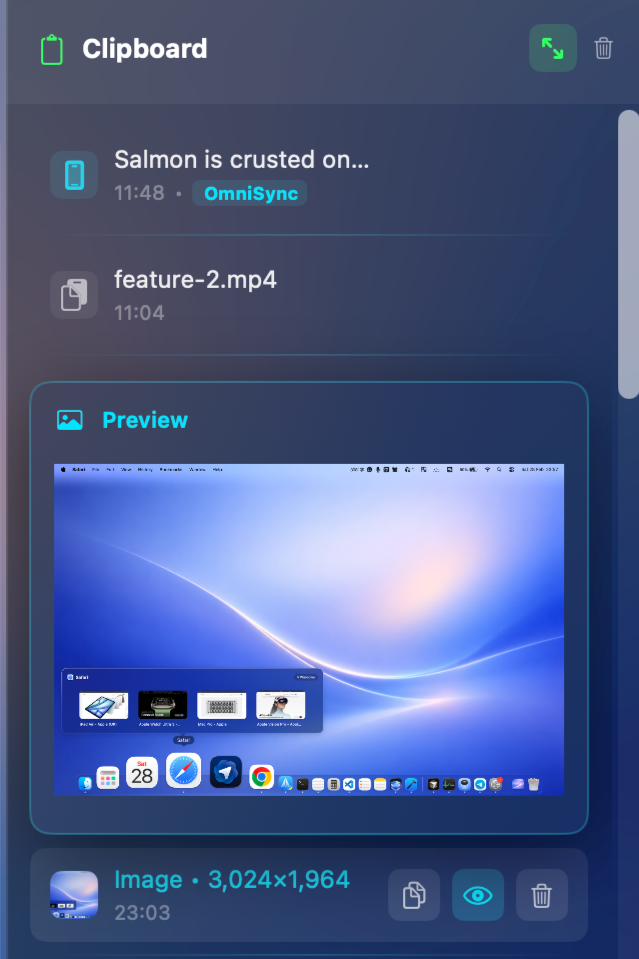
Everything you copy, searchable.
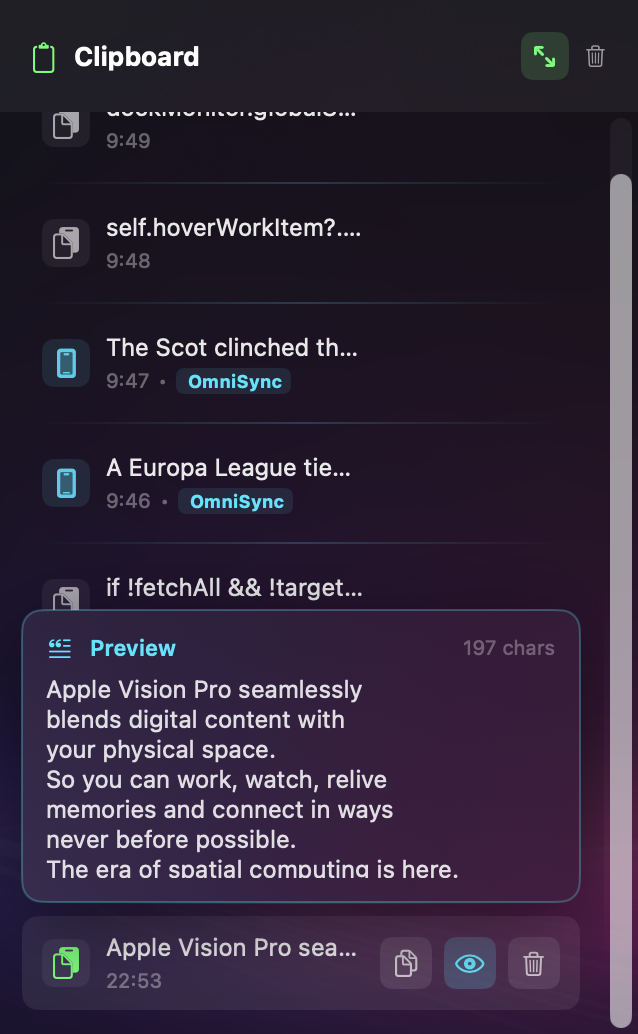
Auto-archives code, rich text, and images as you copy. Full history with instant search. Privacy Shield masks sensitive items.

Edge Snapping.
Drag to the edge. Snap into place.
Fluid edge snapping that feels native. Drag any window to screen edges to tile your workspace. Half, quarter, or fullscreen.

Low Power.
Native Swift. No Electron.
Built with Apple's native APIs. Lightweight background scheduling, minimal idle CPU usage. Validated on Apple Silicon.
See it in action.
Hover over your Dock to see live previews of all open windows. Click to focus, drag to snap — without leaving your current workflow.
Core Features
Built for macOS.
Hover & Peek
Live Window Previews.
Hover over any Dock icon to see real-time preview cards for all open windows. Click to focus, drag to snap.
File Shelf
Drag. Drop. Done.
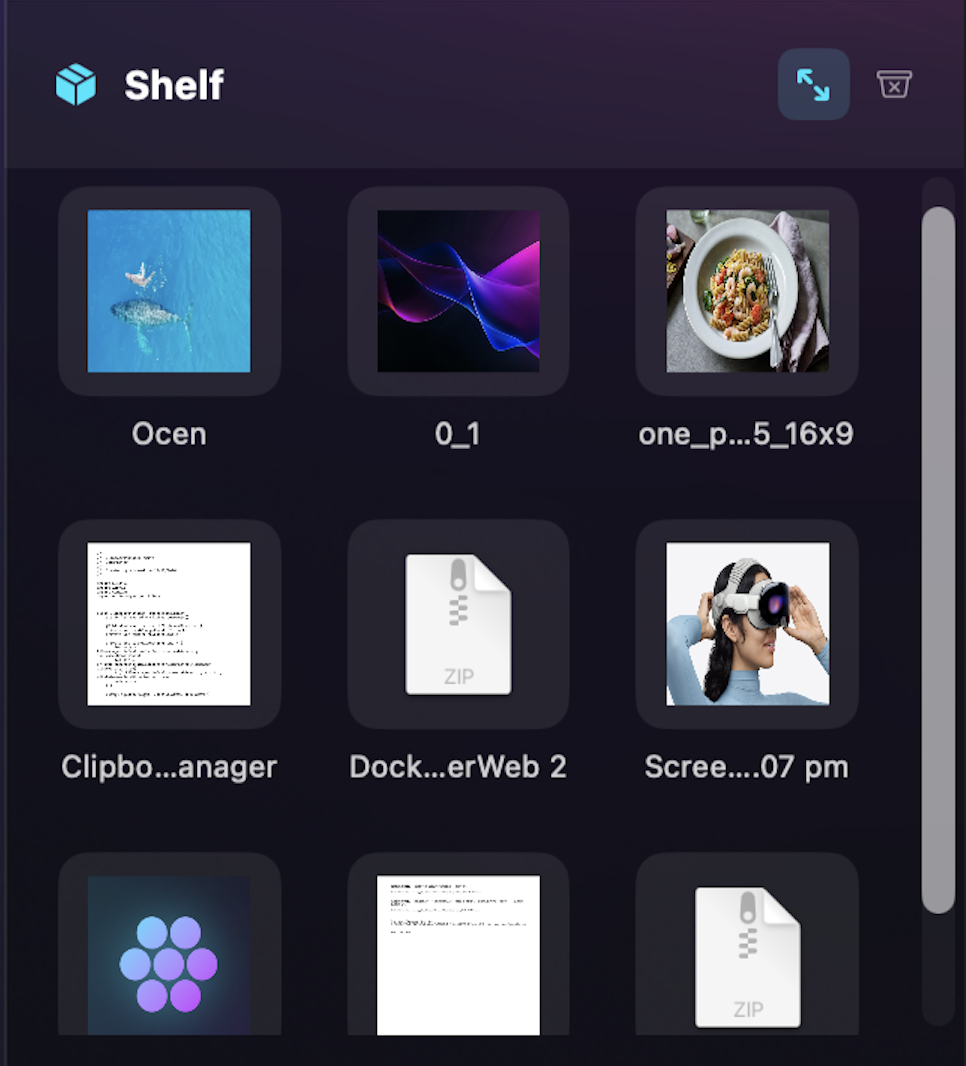
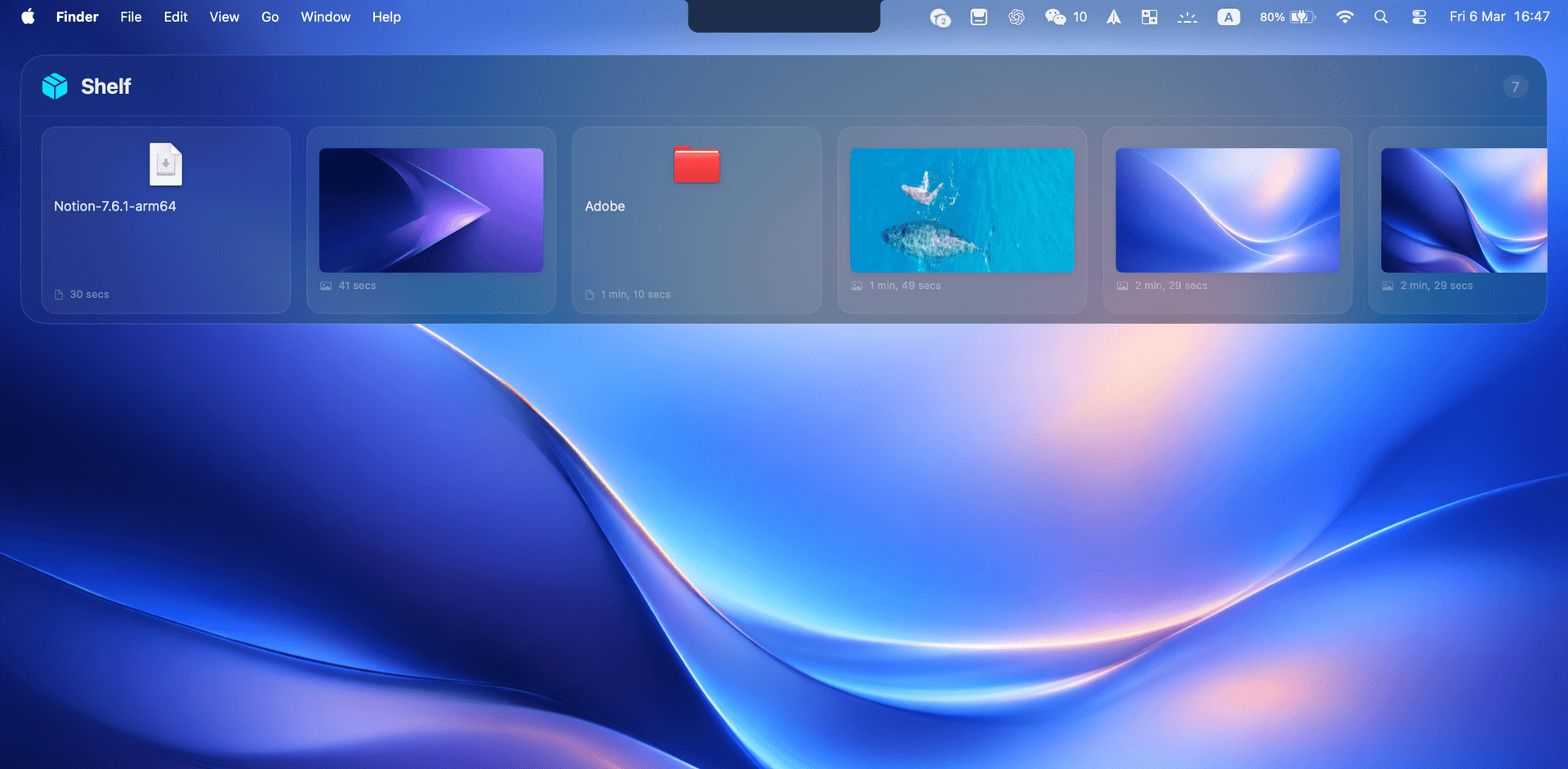
A holding space for files, images, and links. Drag them in from any app, switch workspaces, and pull them back out.
Global Switcher
Option+Tab, Reimagined.
A full-screen window grid with smart filtering that removes system ghost windows. Navigate with arrows or type to search.
OmniSync
Cross-Device Clipboard.
Copy on your iPhone, paste on your Mac. Clipboard history stays synchronized across your devices.
Privacy Shield
Sensitive Content Masking.
Automatically detects passwords and OTPs in your clipboard history and masks them from view.
Window Management
Edge Snapping.
Drag any window to the screen edge to snap and tile your workspace. Half, quarter, or fullscreen.
Native Performance
Lightweight. No Electron.
Built entirely with Swift and Apple's native APIs. Minimal CPU usage, no background daemons.
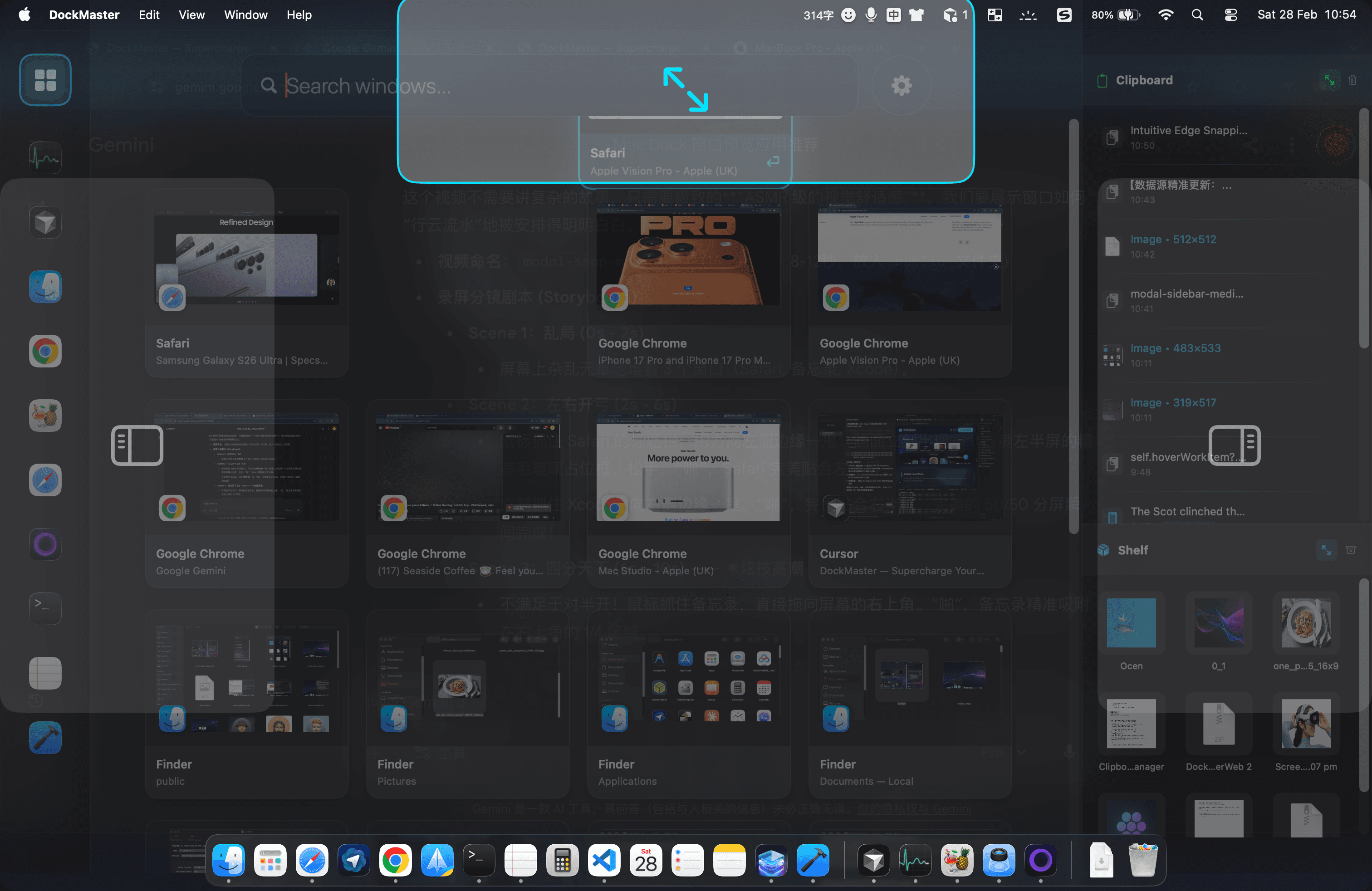
Instant Hover Peek.
Point at the Dock to see live, interactive window previews without clicking.
Clipboard & File Shelf.
Your clipboard history and file staging area, always accessible.
Intuitive Edge Snapping.
Drag any window to the screen edge to snap it into place.
One Price. Lifetime Access.
DockMaster is free to download with core features included. Pro is a one-time purchase — no subscriptions.
Free
Core features, with limits.
- Window Switching (Option + Tab)
- Clipboard History (limited entries)
- File Shelf (limited capacity)
- Standard UI
- Single device, local only
Pro
Full experience, no limits.
≈ $19 USD / €18 EUR / ¥135 CNY
- Unlimited File Shelf (unrestricted cross-app drag)
- Extended Clipboard History (with instant search)
- OmniSync (Mac-to-phone clipboard sync)
- Pro visual theme (dark frosted glass UI)
- Advanced controls (ignore single-window apps, etc.)
- One-time purchase, free updates included
30-day money-back guarantee.
Pro Features:Unlock the Full Experience
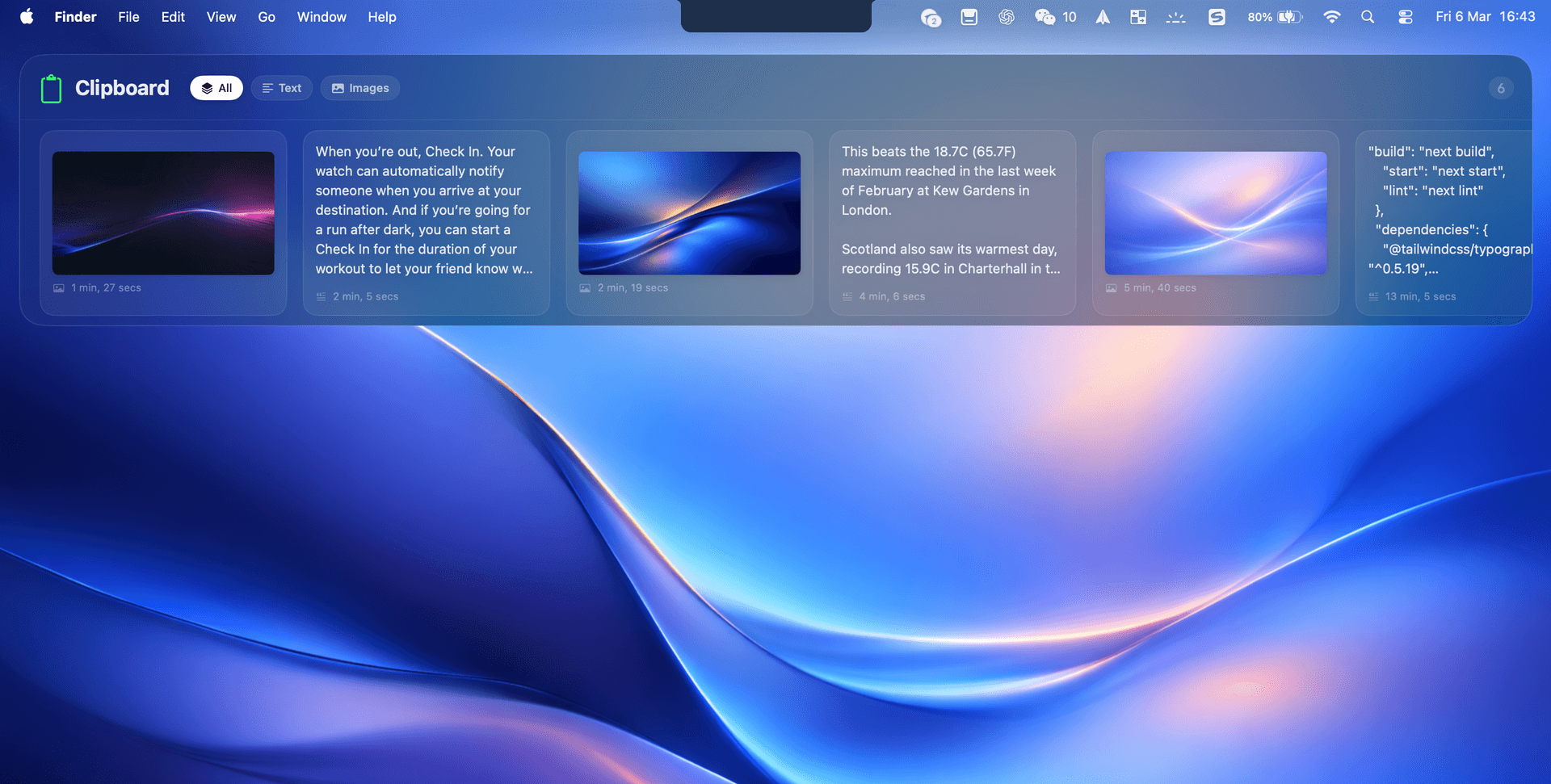
Extended clipboard with full-screen frosted glass UI, always ready.
Extended clipboard history with frosted glass aesthetic. Built-in OmniSync for clipboard sync between your Mac and phone.
Cross-app file shelf — drag in, switch workspaces, pull out.
Press Option+S to open the file shelf. Drag files, images, or links from any app. Switch workspaces, then pull them back out. Double-click to open, right-click to reveal in Finder.
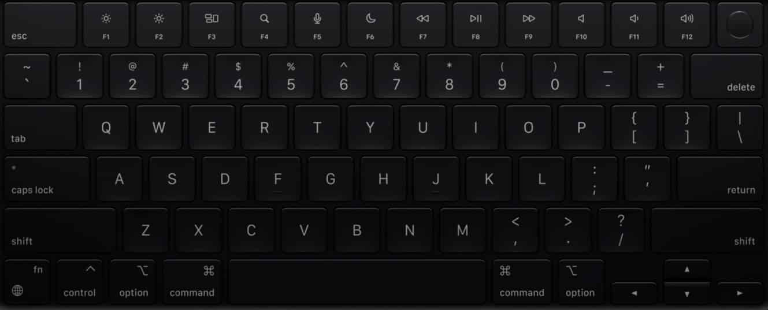
PRO CONTROL.
RIGHT FROM YOUR KEYS.
Quick access to core features without lifting your hands.
Window Grid. Instant overview, precise control.
Smart Clipboard. History and search at your fingertips.
File Shelf. Drag, stash, retrieve.
Focused productivity.
Testimonials
Trusted by professionals.
Alex Rivera
Senior Frontend Developer, SF
I didn't think I needed another window manager. But the way this handles Option+Tab feels native — like it was always part of macOS. The memory footprint is impressively small too.
Emma Wright
Product Designer, London
The best utility apps are the ones you forget are running. Edge snapping removed a lot of friction between Figma and my browser. My hands rarely leave the keyboard now.
Chloé Dubois
Motion Graphics Artist, Paris
Enfin un outil qui comprend comment je travaille sur Mac. Le Global Switcher est intuitif, précis. Un vrai gain de temps au quotidien pour gérer mes compositions After Effects sans lag.
Javier Hernández
Full-Stack Engineer, Madrid
La fluidez de los atajos de teclado es increíble. Es la primera vez que siento que tengo control total de mis ventanas en VS Code sin lag. Muy recomendado para desarrolladores exigentes.
Stefan Weber
System Architect, Berlin
Nativ, schnell, unauffällig. Genau das, was ich gesucht habe. Es fühlt sich an, als wäre es ein Teil von macOS selbst. Der Native Core & Zero Drain ist für mich entscheidend.
Sarah Chen
Music Producer, LA
I'm picky with utility apps on my production machine. Smooth snapping and clipboard access, without getting in the way. Clean and well-built.
FAQ
Got Questions?
Try DockMaster.
Free.
Download and start using core features immediately. Upgrade to Pro when you're ready.
Version 6.2 · Requires macOS 14 Sonoma or later · DockMaster-Pro.dmg