Preview Open Windows from the Dock on Mac
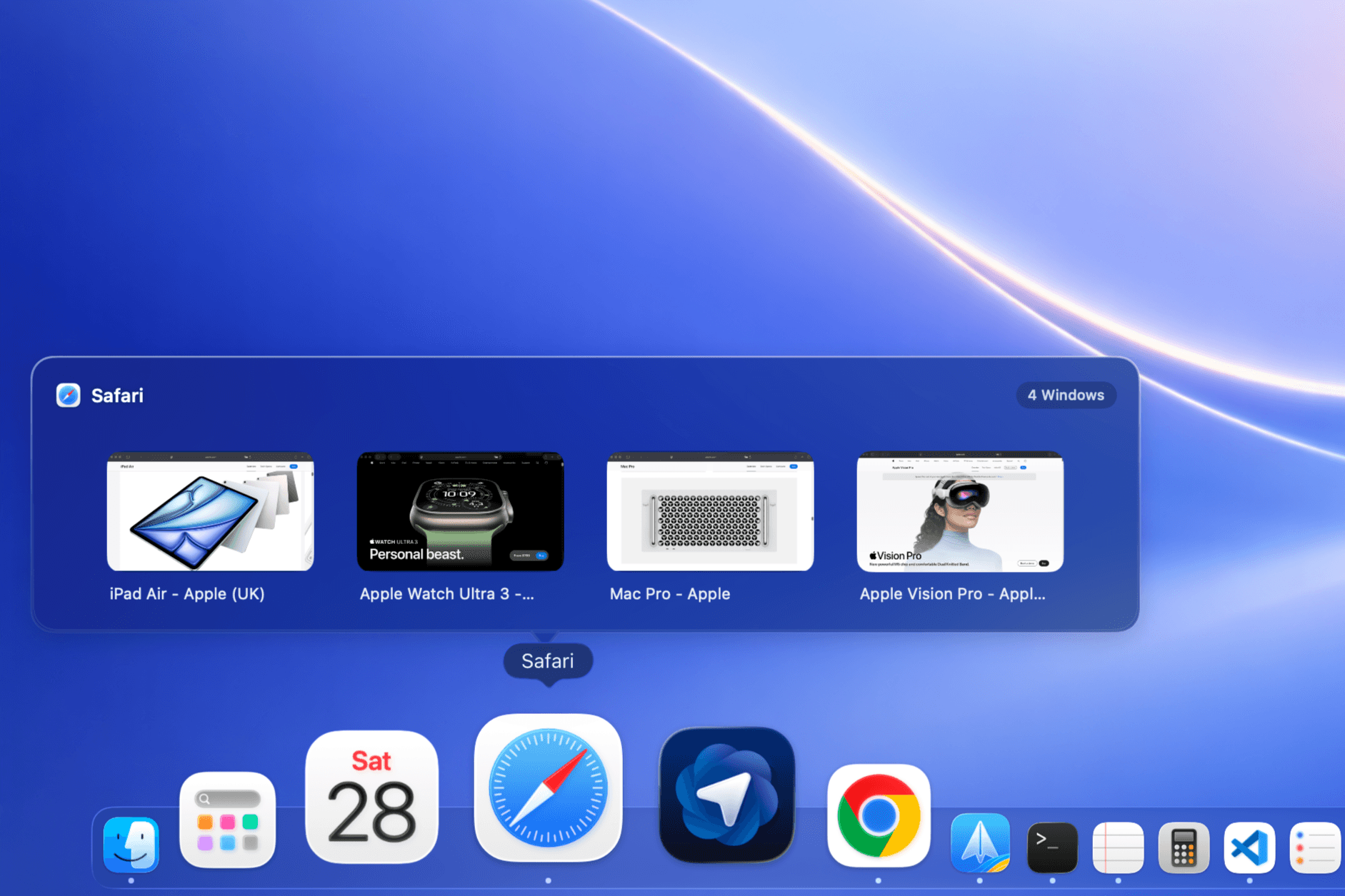
Hover over any app in the Dock and see a live preview of every open window — without switching away from what you're doing. DockMaster adds real-time window thumbnails directly to the macOS Dock.
How Dock Window Previews Work
DockMaster uses the macOS Screen Recording permission to capture live thumbnails of your open windows. When you hover over an app icon in the Dock, a preview panel appears showing every window belonging to that app. Click any thumbnail to bring that window to the front.
- Live thumbnails — see what's actually on each window in real time, not just a static icon.
- Multi-window apps — easily find the right Safari tab, Finder window, or design file among many.
- Click to focus — click any preview to jump directly to that window.
- Native performance — built with Swift and optimized for Apple Silicon, with idle CPU under 0.1%.
Who Needs This
Anyone who works with more than a few windows open. Developers, designers, researchers, writers — if you've ever lost track of which window is which, live Dock previews simplify your workflow without adding complexity.
Privacy
DockMaster requests Screen Recording access solely to generate local window thumbnails. Your screen content stays on your Mac and is not uploaded. No data is collected, stored remotely, or shared for these features.
Get Started
Download DockMaster and grant Screen Recording access when prompted. Live window previews appear immediately when you hover over the Dock. Free to try — Pro unlocks the full experience at £14.99.